Cheapest supermarket in Romania? It depends on your basket
No supermarket is the “cheapest” for everything. The same store can have the best cheese price around and the dearest water. So I won’t give you a ranking, I’ll give you something more useful: you scan the products in your basket one after another, and I tell you where to buy each one so you pay less. It takes about two minutes.
Is there a cheapest supermarket in Romania?
Every chain has products where it’s cheaper and products where it’s dearer, and prices change from week to week. A ranking that says “store X is cheapest” describes somebody’s basket, not yours. When you compare exactly the products you buy, the answer is yours.
Which supermarket near me has the best everyday prices?
“Everyday prices” means the regular price of the things you buy every week, not this week’s flyer. The honest way to find out is to check those exact products in the stores you can actually reach. In the app, every price comes with the store’s distance, and you can sort the list by Price or by Distance. That way you see whether the cheapest store is around the corner or across town.
What you need
- the Economisescu app on your phone;
- an account: you sign in with your email address and a code sent by email, no password (bulk scan is for signed-in users only);
- the products you buy often, or your shopping list, with their barcodes to hand.
Step 1: start bulk scan
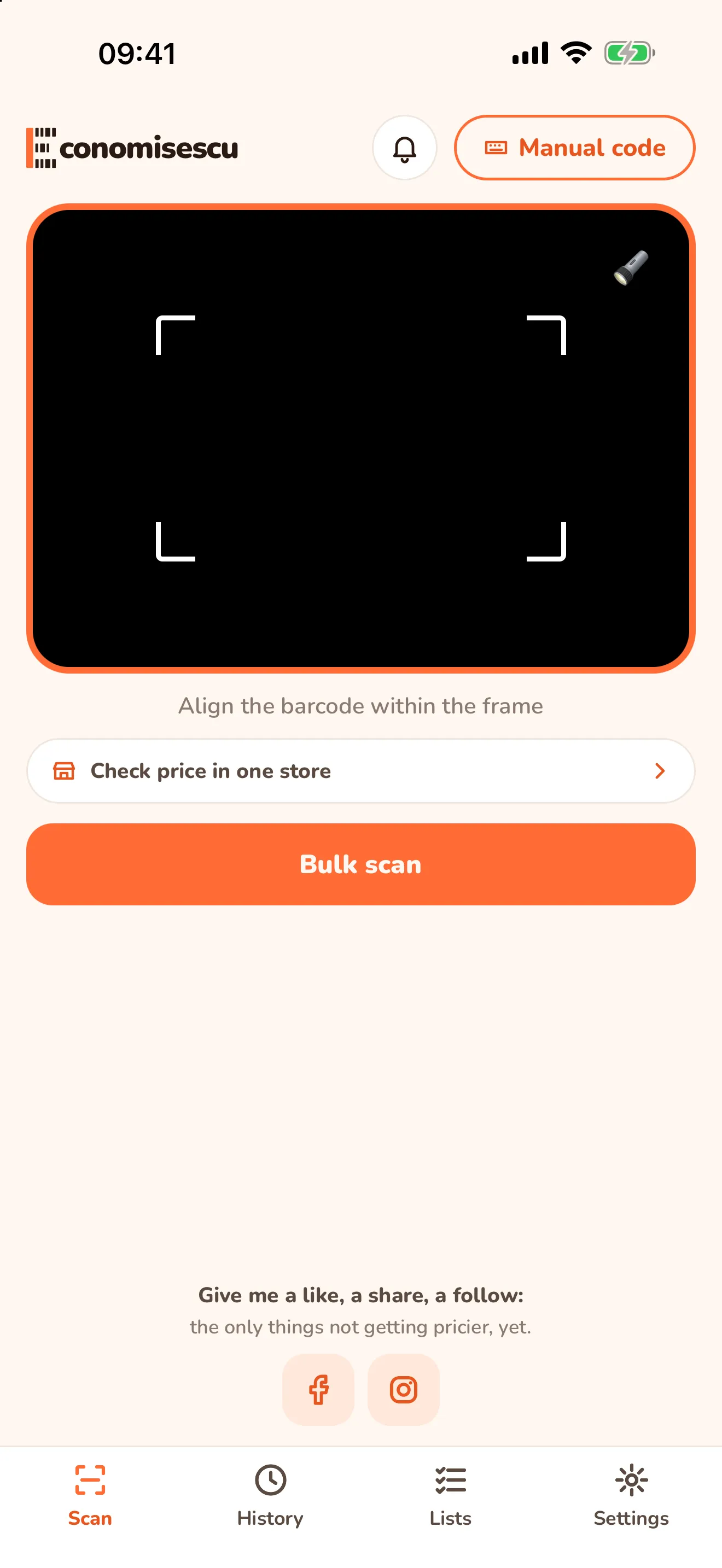
On the Scan tab, tap the orange Bulk scan button. If you’re not signed in, I ask you to sign in and then take you straight there.
Step 2: scan the products one after another
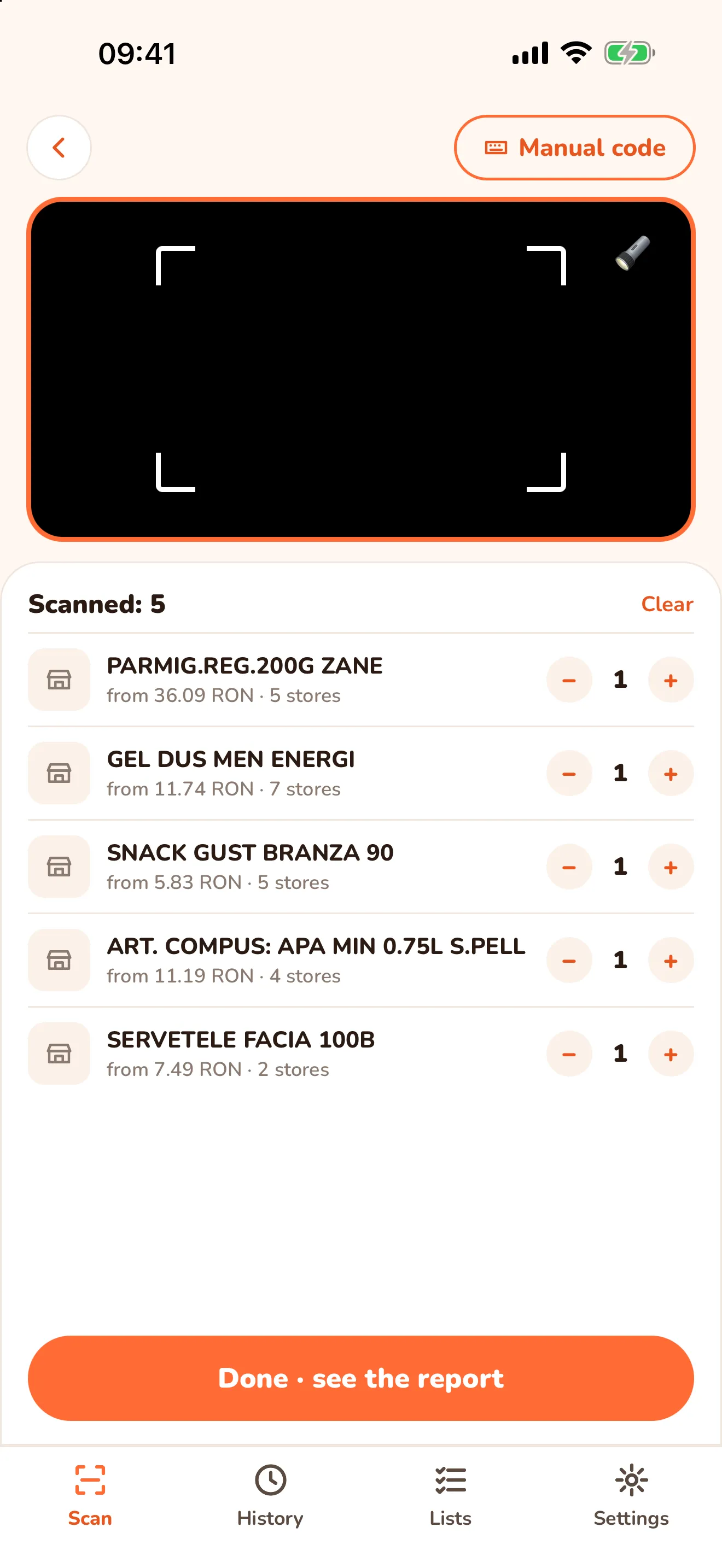
Pass the camera over each barcode. Each product appears in the list at the top, with its lowest price and the number of stores where I found it. I look up the prices while you scan, so the report is ready when you finish.
A few things worth knowing:
- Buying two? Tap + on the product’s row. Scanning the same code again also raises the quantity.
- While the camera stays on the same code, I ignore it for 2 seconds so it isn’t counted twice by mistake.
- You can scan up to 30 products in one session. Clear removes everything so you can start over.
Step 3: tap “Done · see the report”
The report shows your basket split between stores: what to buy where and how much you pay in each.
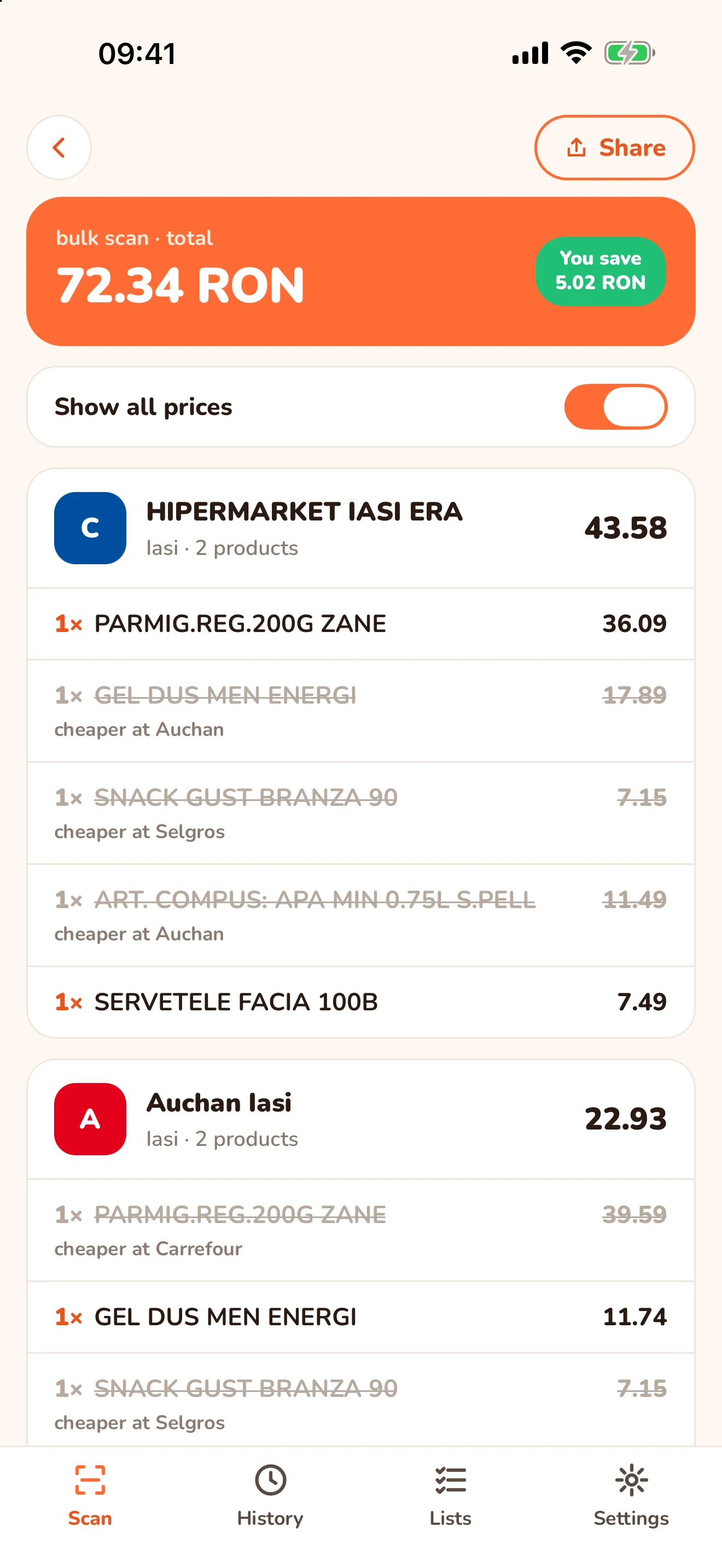
| What you see | What it means |
|---|---|
| bulk scan · total | what the whole basket costs if you buy every product where it’s cheapest |
| You save | how much less you pay by splitting the basket, compared with the cheapest single store that has every product |
| One card per store | the store, the town, how many products you buy there and the subtotal |
| Show all prices | also shows the struck-out products, with the store where they’re cheaper (“cheaper at …”) |
| Share | send the report to someone, for example whoever does the shopping |
Is it worth going to two stores?
The report shows how much you save by splitting the basket. If the difference is small, the extra trip may not be worth it and you pick one store. If it’s big, or the stores are next to each other, you have your answer. The decision is yours; I just put the numbers on the table.
Which stores I compare right now
Right now I compare the Iași stores of Carrefour, Auchan, Mega Image, Kaufland, Selgros, Cobyul and dm. I collect the prices automatically (scraping) from the stores’ public data, their websites and data feeds, and bring them together in one place. They can differ from what you see in the store, and the final price is always the one at the checkout. I’m not affiliated with any of these stores.
What’s next
Only want to check one product? See how to compare a product’s price by scanning its barcode. Everything else the app can do is in the full Economisescu guide.
Frequently asked questions
- Which is the cheapest supermarket in Romania?
- It depends on what you buy. The same store can be cheapest for cheese and dearer for water. That's why I compare your basket, product by product, instead of a general ranking.
- Which supermarket near me has the best everyday prices?
- The one that is cheapest for the products you buy every week, and it can differ from your neighbour's. Scan your usual basket and I show you, store by store, where each product is cheapest, with the distance to each store.
- Do I need an account for bulk scan?
- Yes. Bulk scan is for signed-in users. You sign in with your email address and a code sent by email, no password.
- How many products can I scan in one session?
- Up to 30 products. Scanning the same product again raises its quantity instead of adding a new row.
- What does the You save amount mean?
- How much less you pay by splitting the basket between stores, compared with the cheapest single store that has every product in it.