How to compare a product's price by scanning its barcode
Point the camera at the barcode, wait a few seconds and you see what the same product costs in several stores, with the lowest price on top in orange. No account needed. I’ll walk you through every screen so you know exactly what to tap.
Why scan before it goes in the basket
The same product, with the same barcode, can cost different amounts in two stores a few kilometres apart. The shelf only shows you the price where you’re standing. I show you every price I find for that product at a glance, so you decide whether to buy it now or somewhere else.
Step 1: open the app on the Scan tab
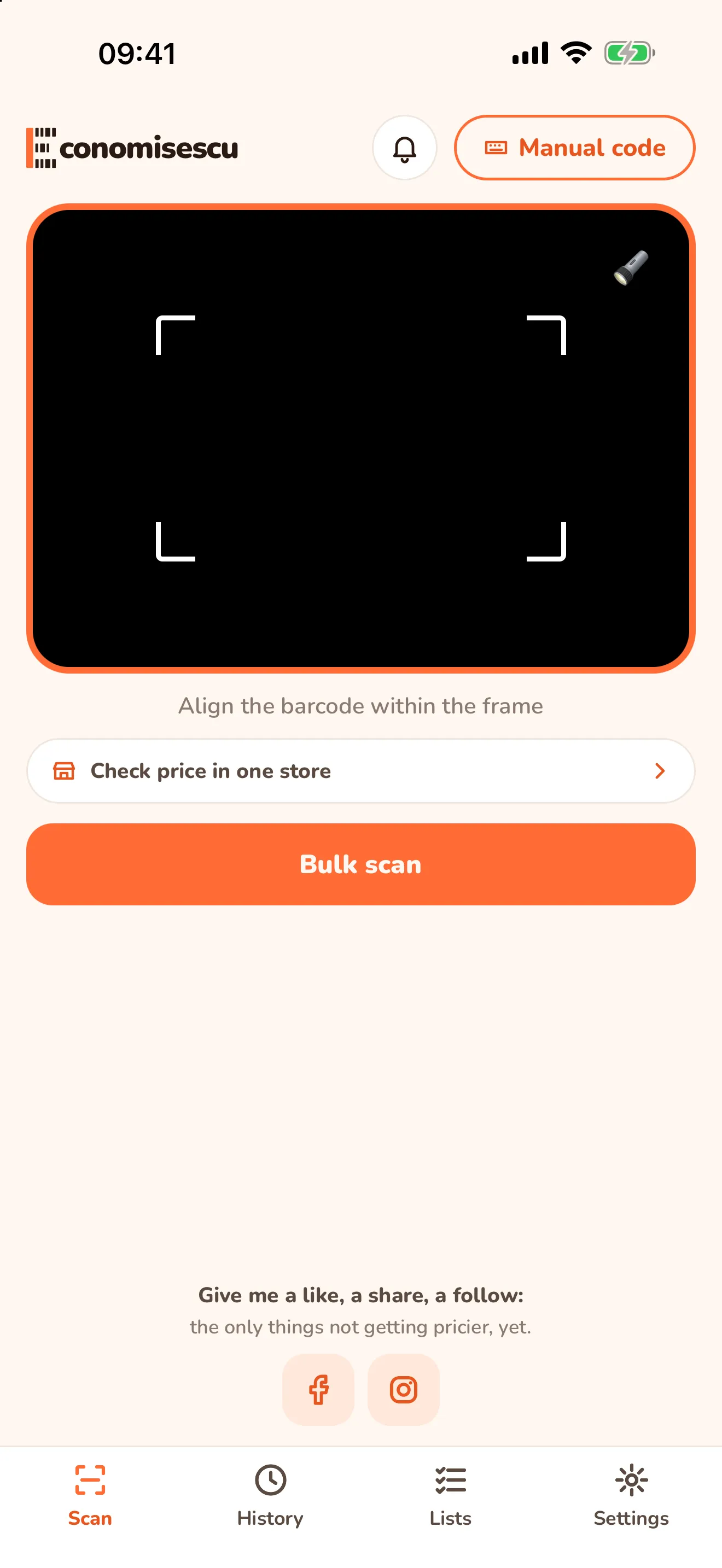
The app opens straight on the scanner. If you’re somewhere else, tap Scan in the bottom bar.
Step 2: line the barcode up in the frame
Hold the phone 10-20 cm from the barcode so it fits in the frame. As soon as I recognise it, I move on to the results. If the shelf is dark, turn on the torch in the corner of the frame.
Barcode worn out or refusing to scan? Tap Manual code and type the digits under the bars. The result is exactly the same.
Step 3: read the result
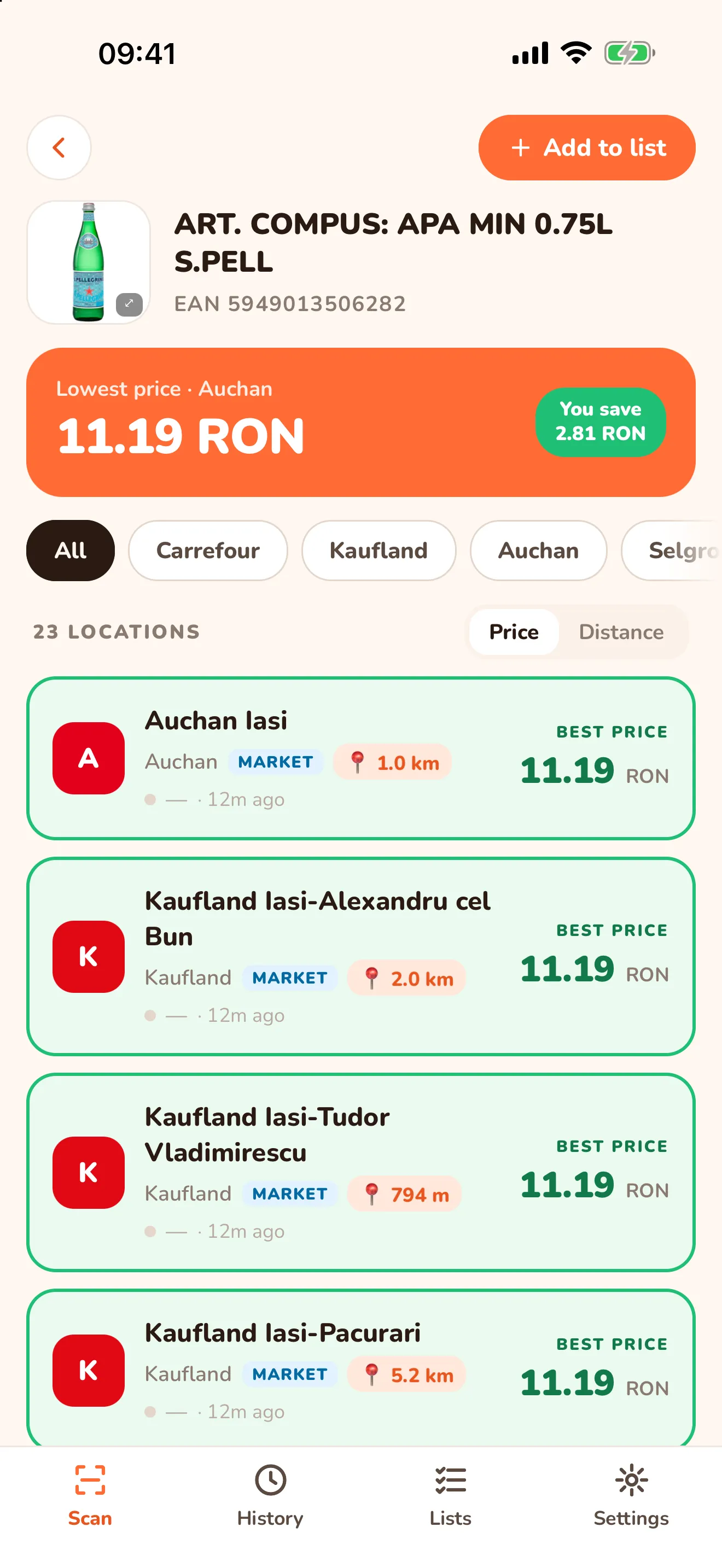
A few seconds later you see the results screen:
| What you see | What it means |
|---|---|
| The orange band, Lowest price | the lowest price found and the chain that has it |
| You save (green) | the difference between the highest and the lowest price found for the product |
| The chain buttons (All, Carrefour, Auchan…) | show only one chain’s stores |
| Price / Distance | sort the list by price or by how close the store is |
| Each card | the store, its type (hyper, market), the distance and the price |
The stores with the lowest price get a green outline, with Best price next to the amount.
Step 4: pick the store and go
Tap the distance on a store’s card (📍) and I open directions in the maps app you have on your phone. Want to buy it later? Tap Add to list at the top and you’ll find it in the Lists tab.
Which stores I compare right now
Right now I compare the Iași stores of Carrefour, Auchan, Mega Image, Kaufland, Selgros, Cobyul and dm. I collect the prices automatically (scraping) from the stores’ public data, their websites and data feeds, and bring them together in one place. They can differ from what you see in the store, and the final price is always the one at the checkout. I’m not affiliated with any of these stores.
If a product doesn’t show up at all, either the stores nearby don’t stock it or I haven’t matched that barcode to the product yet.
What’s next
Got a whole basket to compare? Read which supermarket is cheapest for your basket, with bulk scan. Everything else the app can do is in the full Economisescu guide.
Frequently asked questions
- Do I need an account to compare a product's price?
- No. Scanning a product and comparing prices work without an account. You only need one for bulk scan, lists and synced history.
- What if the barcode won't scan?
- Tap Manual code at the top right and type the digits printed under the barcode. You get the same result.
- Which stores do the prices come from?
- Right now I compare the Iași stores of Carrefour, Auchan, Mega Image, Kaufland, Selgros, Cobyul and dm. I collect the prices automatically (scraping) from the stores' public data, their websites and data feeds, and bring them together in one place. They are for information: they can differ from what you see in the store, and the final price is always the one at the checkout.
- Why does the app ask for my location?
- To show how far each store is and to sort them by distance. It works without location too, you just won't see the distances.